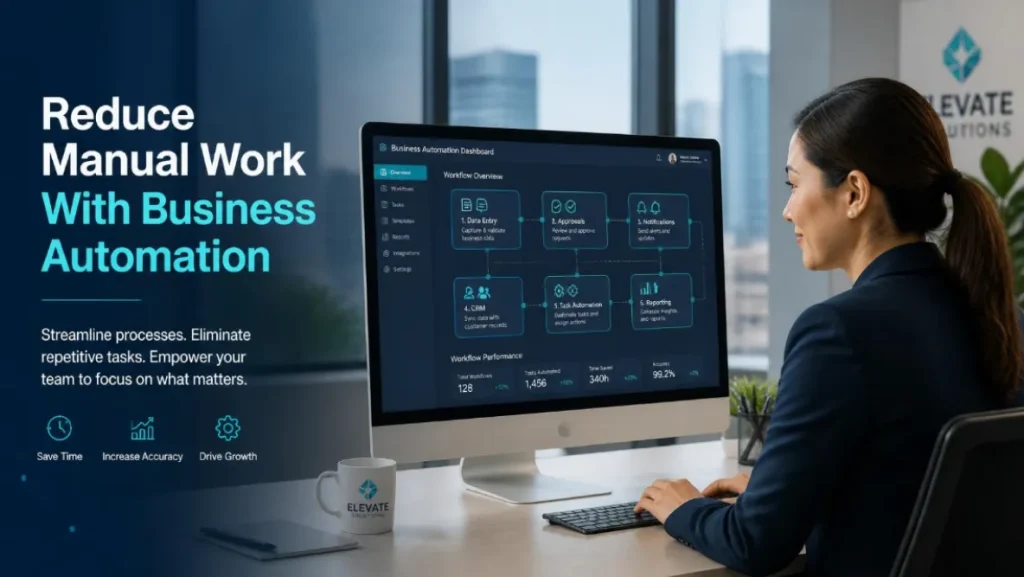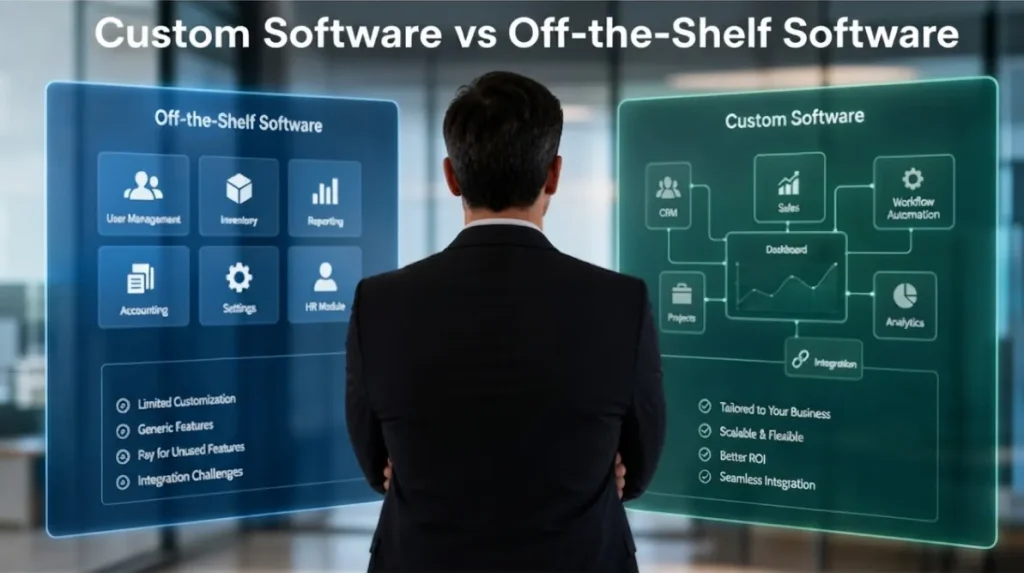
An internal management system helps a business centralize records, streamline workflows, automate repetitive tasks and improve reporting. Your company may need one when spreadsheets, disconnected applications and manual processes begin creating delays, errors and poor visibility across daily operations. An internal management system helps businesses organize operations, manage records, track tasks, monitor performance, and reduce manual work. If your team is still relying heavily on spreadsheets, chat messages, paper records, and disconnected tools, your business may already be losing time, money, and control without realizing it.
Many businesses start small with simple tools. At the beginning, spreadsheets, messaging apps, shared folders, and manual reports may be enough. But as the business grows, these tools become harder to manage. Information gets scattered, tasks are missed, reports take too long, and management struggles to see what is happening across departments.
That is where an internal management system becomes important.
An internal management system gives your business one organized platform for tracking work, managing records, improving communication, automating routine tasks, and making better decisions. Instead of depending on multiple disconnected tools, your team can work from a centralized system designed around your actual business process.
For growing businesses, this is not just about convenience. It is about control, productivity, accountability, and long-term scalability.
What Is an Internal Management System?
An internal management system is software used by a business to manage its daily operations, records, workflows, staff activities, approvals, reports, and internal processes.
It can be built for one department or for the entire organization. Some businesses use internal systems to manage customers. Others use them for inventory, staff, finance, projects, documents, bookings, reports, or branch operations.
Examples of internal management systems include:
- Employee management system
- Customer management system
- CRM system
- ERP system
- Inventory management system
- Project management system
- HR management system
- Document management system
- Finance tracking system
- Booking management system
- POS management system
- Admin dashboard
- Client portal
- Vendor management system
- Branch management system
- Workflow approval system
The goal is simple: help the business operate in a more organized and efficient way.
Instead of having records spread across emails, notebooks, spreadsheets, file folders, and chat messages, an internal management system brings key information into one platform.
A good internal system can help your business answer important questions quickly:
- Who is responsible for this task?
- What is the status of this request?
- Which customer needs follow-up?
- What stock is available?
- Which invoices are pending?
- Which employee completed the work?
- Which branch is performing better?
- What reports need management review?
- Where are the important documents?
- What tasks are delayed?
When a business can answer these questions easily, operations become smoother.
Your Team Relies Too Much on Spreadsheets
Spreadsheets are useful. Nobody should deny that. They are flexible, familiar, and affordable.
But spreadsheets were not designed to manage every part of a growing business.
If your team is using spreadsheets for customer records, inventory, staff tasks, invoices, approvals, reports, and project tracking, your business may already need an internal management system.
Common spreadsheet problems include:
- Duplicate records
- Wrong formulas
- Accidental deletions
- Outdated versions
- Limited access control
- No proper audit trail
- Difficult collaboration
- Manual reporting
- Weak security
- No automated workflow
- Hard-to-track accountability
The bigger the business gets, the riskier spreadsheet dependency becomes.
For example, if one staff member forgets to update a file, the whole team may work with outdated information. If someone edits the wrong cell, your report may become inaccurate. If a file is shared with the wrong person, sensitive data may be exposed.
A custom internal management system can replace scattered spreadsheets with structured modules, protected records, user permissions, automated reports, and clearer workflows.
This does not mean you must stop using spreadsheets completely. But your main business operations should not depend on them.
Information Is Scattered Across Different Tools
Another major sign your business needs an internal management system is scattered information.
This happens when your team uses too many separate platforms to manage daily work.
For example:
- Customer details are in a spreadsheet
- Staff updates are in chat messages
- Files are in Google Drive
- Payments are tracked manually
- Tasks are in a project management tool
- Reports are created in Excel
- Approvals happen through email
- Inventory is listed in another system
- Follow-ups depend on someone’s memory
At first, this setup may feel normal. But over time, it creates confusion.
Your team spends too much time looking for information instead of doing actual work. Staff members ask the same questions repeatedly. Managers need to check multiple places just to understand what is happening.
Scattered information causes problems such as:
- Lost records
- Slow decision-making
- Repeated data entry
- Miscommunication
- Poor customer service
- Delayed approvals
- Inconsistent reports
- Lack of accountability
An internal management system solves this by bringing important data into one place.
With a centralized system, your team can access the right information faster. Management can monitor work more clearly. Departments can coordinate better. Customers can be served faster.
This is how businesses move from messy operations to structured operations.
Reporting Takes Too Much Time
If preparing reports takes hours or days, your business likely needs a better system.
Many companies still prepare reports manually by collecting data from spreadsheets, emails, invoices, chat records, and different departments. This is slow and stressful.
Manual reporting creates several issues:
- Reports are delayed
- Data may be inaccurate
- Staff spend too much time compiling information
- Management receives outdated numbers
- Decisions are based on incomplete data
- Errors are difficult to trace
- Different departments may submit inconsistent figures
For business owners and managers, this is a big problem. You cannot make strong decisions if you do not have clear and updated information.
An internal management system can generate reports faster because the data is already stored in the system.
Depending on the business, reports may include:
- Sales reports
- Customer reports
- Staff performance reports
- Inventory reports
- Payment reports
- Appointment reports
- Project status reports
- Branch performance reports
- Financial summaries
- Pending task reports
- Audit logs
- Operational dashboards
Instead of waiting for staff to manually prepare reports, management can view dashboards and export reports when needed.
That is a serious productivity upgrade.
Your Business Has Repeated Manual Tasks
Repeated manual tasks are one of the clearest signs that your business needs an internal management system.
If your team is doing the same task over and over again, there is a strong chance that part of the process can be automated.
Common repeated manual tasks include:
- Entering the same customer details in different files
- Sending follow-up reminders manually
- Preparing the same reports every week
- Updating inventory records manually
- Assigning tasks through chat messages
- Checking payment status manually
- Sending appointment confirmations manually
- Preparing invoices manually
- Tracking approvals manually
- Copying data from one platform to another
These tasks may look small individually, but they consume a lot of time when repeated daily.
Manual work also increases the chance of mistakes. A staff member may forget an update, enter the wrong figure, miss a follow-up, or send the wrong information.
An internal management system can automate routine actions such as:
- Task assignments
- Email notifications
- SMS alerts
- Report generation
- Status updates
- Approval routing
- Payment reminders
- Customer follow-ups
- Inventory alerts
- Document tracking
Automation does not replace your team. It helps your team focus on more important work.
For SMEs and growing companies, this can make a huge difference.
Customers or Staff Experience Delays
Delays are not always caused by lazy staff. Sometimes, the problem is the system, or the lack of one.
If customers are waiting too long for updates, approvals, invoices, bookings, support, or service delivery, your internal process may be slowing everyone down.
The same applies to staff. If employees are waiting for instructions, documents, approvals, reports, or customer information, productivity drops.
Common delay points include:
- Manual approval process
- Unclear task ownership
- Missing customer information
- Slow document retrieval
- Delayed payment confirmation
- Poor communication between departments
- No centralized request tracking
- No automatic notification system
- No visibility on pending work
An internal management system helps reduce delays by making workflows clearer.
For example:
- A customer request can be assigned automatically
- A manager can receive approval notifications
- Staff can see pending tasks from their dashboard
- Customers can receive automated updates
- Documents can be uploaded and reviewed in one place
- Status changes can be tracked in real time
When the process is clear, work moves faster.
This improves both staff productivity and customer experience.
Management Has Limited Visibility
If the business owner or management team cannot easily see what is happening in the company, that is a major warning sign.
Limited visibility means management has to constantly ask for updates:
- How many leads came in this week?
- Which staff members completed their tasks?
- Which customers are pending follow-up?
- What is the current sales status?
- Which invoices are unpaid?
- What projects are delayed?
- Which branch is underperforming?
- What issues need attention?
If every answer requires checking with different people, opening multiple files, or waiting for manual reports, the business needs better visibility.
An internal management system gives management access to real-time or regularly updated information through dashboards and reports.
This can include:
- Sales overview
- Customer status
- Staff activities
- Project progress
- Inventory levels
- Payment tracking
- Pending approvals
- Support tickets
- Branch performance
- Operational trends
Good visibility helps management make faster and better decisions.
Without visibility, the business is running partly blind. That is risky.
You Are Planning to Scale Operations
If your business is planning to grow, you need systems that can support that growth.
Scaling without an internal management system can create chaos.
Growth may include:
- Hiring more employees
- Opening new branches
- Serving more customers
- Adding more services
- Expanding to new locations
- Managing more transactions
- Handling more suppliers
- Launching a mobile app
- Building customer portals
- Offering online services
If your current process is already messy, scaling will make it worse.
A business that wants to scale needs structure. It needs clear workflows, reliable data, user permissions, reporting, automation, and accountability.
An internal management system can help prepare your business for growth by providing:
- Centralized records
- Standardized processes
- Multi-user access
- Role-based permissions
- Branch management
- Automated reports
- Workflow tracking
- Customer management
- Data security
- Scalable architecture
The truth is simple: you cannot scale smoothly with scattered files, manual processes, and unclear responsibilities.
A proper internal system gives your business a foundation for growth.
Other Signs Your Business Needs an Internal Management System
Beyond the major signs already mentioned, there are other warning signals you should not ignore.
Your business may need an internal management system if:
- Staff keep asking where files are stored
- Customers complain about slow responses
- Managers depend too much on verbal updates
- Important tasks are forgotten
- Data is entered more than once
- Reports do not match across departments
- Employees use different versions of the same file
- Approvals are delayed because they happen manually
- You cannot track who changed what
- You cannot easily measure staff performance
- You do not have a clear customer history
- You are using too many tools that do not communicate
- Your business depends too much on one person’s memory
- You struggle to monitor work outside the office
- You want to offer customers online access to services
These issues may look normal because many businesses live with them daily. But normal does not mean efficient.
At some point, the cost of not having a system becomes higher than the cost of building one.
Benefits of an Internal Management System
A well-built internal management system can improve many areas of the business.
Key benefits include:
1. Better Organization
All important records can be stored in one structured platform.
This makes it easier to manage customers, staff, documents, reports, transactions, tasks, and workflows.
2. Improved Productivity
Staff spend less time searching for information, preparing manual reports, and repeating tasks.
This gives them more time to focus on work that actually moves the business forward.
3. Stronger Accountability
An internal system can track who did what, when it was done, and what still needs attention.
This helps reduce confusion and finger-pointing.
4. Faster Reporting
Management can access reports and dashboards faster, instead of waiting for manual compilation.
5. Better Customer Service
When customer information is organized, staff can respond faster, track requests better, and provide a smoother experience.
6. Reduced Errors
Structured forms, validations, automated workflows, and centralized data help reduce mistakes.
7. Better Decision-Making
A good internal system gives management clearer data for planning, budgeting, staffing, sales, and operations.
Common Types of Internal Management Systems
Different businesses need different systems. The best internal management system depends on the operations of the company.
Common types include:
CRM System
An ERP system connects multiple business departments such as finance, HR, inventory, procurement, sales, and operations.
Best for:
- Growing companies
- Multi-department businesses
- Manufacturing companies
- Construction firms
- Logistics businesses
- Larger SMEs
ERP System
An ERP system connects multiple business departments such as finance, HR, inventory, procurement, sales, and operations.
Best for:
- Growing companies
- Multi-department businesses
- Manufacturing companies
- Construction firms
- Logistics businesses
- Larger SMEs
Inventory Management System
An inventory system helps track stock levels, suppliers, products, purchases, sales, and stock movements.
Best for:
- Retail shops
- Warehouses
- Pharmacies
- Restaurants
- Ecommerce businesses
- Suppliers
HR Management System
An HR system helps manage employees, attendance, leave requests, records, payroll data, performance, and internal HR processes.
Best for:
- Companies with growing teams
- Agencies
- Schools
- Corporate businesses
- Organizations
Project Management System
A project management system helps teams track tasks, deadlines, responsibilities, project progress, and deliverables.
Best for:
- Agencies
- Construction companies
- Software teams
- Consulting firms
- Service businesses
Booking Management System
A booking system helps manage appointments, schedules, customers, staff availability, payments, and reminders.
Best for:
- Clinics
- Salons
- Barber shops
- Pet clinics
- Service providers
- Consultants
POS Management System
A POS system helps manage sales, payments, receipts, inventory, customers, loyalty programs, and branch reporting.
Best for:
- Retail stores
- Restaurants
- Salons
- Barber shops
- Pharmacies
- SMEs
How Brayne Software Builds Internal Business Systems
Brayne Software helps businesses design and develop internal management systems that match real operational needs.
We do not believe every business should force itself into generic tools. If your process is unique, your system should support that process.
Our internal business system development can include:
- Business process review
- Workflow planning
- UI and UX design
- Admin dashboard development
- Staff portal development
- Customer portal development
- Role-based access control
- Database design
- Reporting dashboards
- API integrations
- Automation features
- Notifications
- Mobile-friendly access
- Testing and deployment
- Training and support
We can build systems for different industries, including:
- Retail
- Healthcare
- Education
- Real estate
- Logistics
- Construction
- Professional services
- Membership organizations
- Agencies
- Corporate businesses
- SMEs
Whether you need a simple internal dashboard or a larger multi-module management system, Brayne Software can help you plan and build a solution that improves visibility, accountability, and productivity.
FAQs
What is an internal management system?
An internal management system is software used by a business to manage operations, records, workflows, staff tasks, approvals, reports, customers, inventory, finance, or other internal processes.
How do I know if my business needs an internal system?
Your business may need an internal system if your team depends too much on spreadsheets, manual reporting, repeated data entry, scattered communication, and disconnected tools.
Can an internal management system be customized?
Yes, an internal management system can be customized based on your departments, workflows, user roles, reports, approvals, and business rules.
What businesses need an internal management system?
Businesses with growing teams, multiple departments, customer records, inventory, bookings, approvals, reports, or repeated manual tasks can benefit from an internal management system.
Is an internal management system only for large companies?
No. Small and medium-sized businesses can also use internal management systems, especially when manual processes are slowing down operations.
Can an internal management system replace spreadsheets?
Yes, an internal management system can replace many spreadsheet-based processes by centralizing records, improving data accuracy, adding user permissions, and automating reports.
How long does it take to build an internal management system?
The timeline depends on the number of modules, features, users, workflows, and integrations required. A simple system may take a few weeks to a few months, while a more advanced platform may take several months.
If your business operations are becoming harder to manage manually, Brayne Software can help you build a custom internal management system that improves visibility, accountability, and productivity.
Contact Brayne Software today to request a consultation and discover how a custom internal system can help your business operate better, reduce manual work, and prepare for growth.
An internal management system becomes necessary when your business operations are getting harder to manage manually.
If your team relies too much on spreadsheets, uses too many disconnected tools, spends too much time preparing reports, repeats manual tasks, experiences delays, or lacks visibility, those are clear signs that your business needs a better system.
The longer you ignore these issues, the more expensive they become. Lost time, errors, poor reporting, customer delays, and staff confusion all affect business growth.
A well-designed internal management system can help your business centralize records, automate workflows, improve reporting, support staff productivity, and give management better control.
You do not need to build everything at once. Many businesses can start with the most important modules first, then expand the system as operations grow.
The key is to start with the areas causing the most operational pain.