Direct Answer: Can a Manufacturer Replace Old Systems Without Disrupting the Plant?
Yes, if the work is done in phases. Start by listing every spreadsheet, old desktop program and paper form the plant depends on. Pick the one process that costs the most time or causes the most errors. Replace that first, run the old and new versions side by side until the numbers match, then move to the next process. A full “switch everything on Monday” rebuild is the riskiest option, and many plants do not need it.
This guide is written for plant managers, operations heads and owners of manufacturing and export companies in Cavite and the rest of CALABARZON, and it describes the kind of legacy system modernization Cavite plants can live with: phased, measured and run alongside production.
Why Is This a Pressing Question for CALABARZON Manufacturers?
Manufacturing carries this region. According to the Philippine Statistics Authority, CALABARZON produced the largest share of the country’s industry output in 2025, at 25.4 percent. Industry made up 48.6 percent of the regional economy, and manufacturing alone contributed 1.9 percentage points of the region’s 5.1 percent growth that year.
Cavite is a big part of that. PEZA’s list dated 30 June 2026 counts 12 operating manufacturing ecozones in Cavite, out of 82 nationwide, among the province’s 19 operating ecozones overall. They sit in places like Rosario, General Trias, Dasmariñas, Carmona, Silang, Imus, Tanza and Naic.
At the same time, many of the tools these plants run on have aged out:
- Office 2016 and Office 2019 reached end of support on 14 October 2025. Microsoft says the apps may keep working, but there are no more security fixes or technical support. That includes Access 2016 and the Access 2016 Runtime that many in-house databases depend on.
- Windows 10 reached end of support on the same date. Old programs can keep shop-floor PCs tied to an operating system that no longer gets security updates.
- The Visual Basic 6 development environment has been unsupported since 8 April 2008. Compiled VB6 programs can still run on supported Windows versions, but Microsoft states there is no supported way to create or maintain VB6 applications and recommends replacing them.
- Spreadsheets and Access files have hard limits. An Excel worksheet holds at most 1,048,576 rows, and an Access database file is capped at 2 GB. Years of production and inventory history can hit those ceilings.
None of this means the plant stops tomorrow. It means risk grows every month: fewer people who can fix the old system, more security exposure and more time lost re-typing data.
What Do “Old Systems” Look Like in a Typical Plant?
Common patterns include:
- The master spreadsheet. Inventory, production output or costing lives in a set of linked Excel files. One person understands the formulas. When they are on leave, reports wait.
- The Access or VB program from years ago. It was built by a former employee or a contractor who is no longer around. It works, mostly, but nobody dares change it. It may only run on one PC.
- Paper on the floor. Job travelers, QC checklists, downtime logs and gate passes are filled in by hand, then encoded later. Errors creep in at the encoding step.
- Chat as a reporting system. Shift leads send output photos and counts to a group chat. Someone compiles them into the daily report.
- Islands that do not talk. Accounting, purchasing, warehouse and production each have their own file or tool, so month-end means reconciling them by hand.
If two or more of these describe your plant, you are a good candidate for phased modernization.
A Phased Plan That Keeps Production Running
Step 1: Make an inventory of systems and files
List every spreadsheet, database, desktop program and paper form that touches production, inventory, quality, purchasing, shipping or payroll. For each one, note who uses it, how often, what it feeds and what breaks if it stops. This list alone often surprises management.
Step 2: Pick one process, not the whole plant
Choose the process with the clearest pain and a measurable result. Good first candidates are inventory and warehouse transactions, production output by line or shift, or QC inspection records. Avoid starting with payroll or accounting unless that is where the risk is highest, because those carry the most compliance weight.
Step 3: Map and clean the data
Old files hide duplicate item codes, inconsistent units and blank fields. Agree on one item master, one unit of measure per item and one owner for each data field before anything is migrated. This step is unglamorous and it is often where much of the value comes from.
Step 4: Build the replacement module
Replace the chosen process with a web-based module that works on desktop, tablet and phone, so supervisors can record data where the work happens. Use role-based access so operators, supervisors and managers each see what they need. Connect it to the remaining old tools through exports or an API, so nothing else has to change yet.
Step 5: Run old and new in parallel
For an agreed period, record data in both. Compare totals daily. When the new module matches or beats the old process for a full cycle (for example, a month-end close), switch over formally.
Step 6: Retire the old tool and move to the next process
Archive the old file or program read-only, keep a backup, and start the next module. Each phase is smaller and safer than a big-bang rebuild, and the plant gets value after the first one instead of at the end.
For a deeper technical view of each option (repair, refactor, rehost, replace modules), see our guide on how to modernize legacy software without rebuilding everything.
What Should a Manufacturer Modernize First?
- Inventory and warehouse. Symptom: system count and floor count rarely match. Sensible first module: receiving, transfers, issues to production and cycle counts on mobile.
- Production output. Symptom: daily report compiled by hand from chats or paper. Sensible first module: output and downtime per line and shift, entered at the line.
- Quality control. Symptom: paper checklists, slow traceability. Sensible first module: digital inspection forms tied to lot or batch numbers.
- Purchasing. Symptom: requests by email, no approval trail. Sensible first module: purchase request and approval workflow.
- Management reporting. Symptom: reports take days to prepare. Sensible first module: dashboard fed by the modules above.
Start with whichever item on this list costs your team the most hours each week.
Which Compliance Points Should Be Planned Early?
This is not legal or tax advice. Bring your compliance officer and accountant into the planning from day one.
- PEZA reporting. PEZA-registered enterprises submit reportorial requirements online through PEZA’s enhanced Annual Compliance Management System (ACMS), under Memorandum Order No. 2025-002. A modern internal system can keep production, export and headcount data organized so those submissions are easier to prepare. Your team still decides what is filed.
- BIR rules on computerized books. If the new system will produce books of accounts or official receipts and invoices, BIR rules apply. Under Revenue Memorandum Order No. 9-2021, a computerized accounting system must be registered and receive an Acknowledgement Certificate from the BIR before use. Check current requirements with your accountant before you scope any accounting module.
- Data privacy. Employee, customer and supplier records are covered by the Data Privacy Act of 2012 (RA 10173). Moving data off shared PCs and loose files into a system with access control and audit logs is often a privacy improvement in itself.
Questions to Ask Any Software Partner
Before you sign with anyone, including us, ask:
- Will you visit the plant and talk to the people who use the current process?
- How will you migrate and verify our existing data?
- Can we run the old and new systems in parallel before switching?
- Who owns the source code and the data at the end of the project?
- Where will the system be hosted, and how are backups done?
- What happens if the developer who built it leaves your company?
- What does support cost after go-live?
- Can we start with one module and stop there if it does not deliver?
A good partner answers these in writing before the build starts.
Build, Buy or Keep?
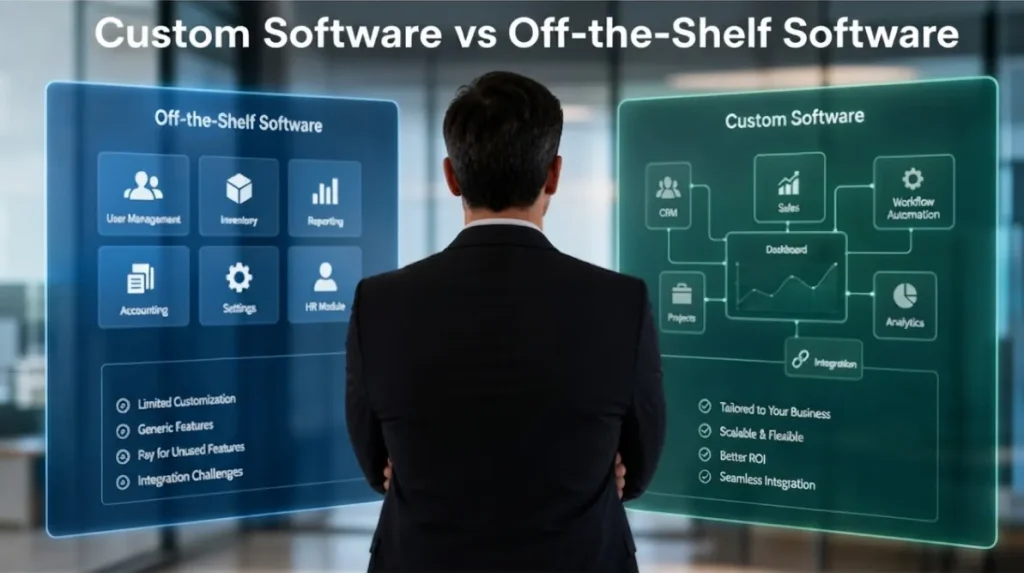
Not every old system needs replacing. Keep it if it is stable, secure enough and nobody needs to change it. Buy an off-the-shelf product if your process is standard and the product fits without heavy customization. Build custom when the process is what makes your plant competitive, or when off-the-shelf tools force your team into workarounds. Our Build vs Buy Software Calculator and Legacy Software Modernization Cost Calculator give a first estimate in a few minutes.
Frequently Asked Questions
How long does it take to replace one process?
It depends on the number of users, the state of the data and the integrations needed. A single, well-defined module is far shorter than a full system rebuild. We give a timeline range after the Discovery Sprint.
Can we keep using Excel for some things?
Yes. Many plants keep Excel for ad hoc analysis and export clean data from the new system into it. The goal is to stop using spreadsheets as the system of record.
Our old VB6 program still works. Why change it?
Microsoft supports the VB6 runtime on current Windows versions only for serious regressions and critical security issues, and the VB6 development tools have been unsupported since 2008. The program may keep running, but changing or fixing it gets harder every year. Plan the replacement on your schedule, not after it fails.
Do we need a big IT team to run a new system?
Not necessarily. Your team uses a web-based system through a browser or phone. Maintenance and support options are discussed during scoping.
Do you only work with companies in economic zones?
No. We work with manufacturers and exporters inside and outside the ecozones, across Cavite and CALABARZON.
Start With a Discovery Sprint
Brayne Software is a custom software development company based in Langkaan 2, Dasmariñas, Cavite. We build business systems and apps for companies across Cavite and CALABARZON. See all our software development services.
If your plant runs on spreadsheets, an old Access or VB program, or paper, start with a Discovery Sprint. We can visit your plant on site, whether you are nearby or farther away, and we will agree with you on the best way to meet. We gather information and data, map your process, and give you a prioritized plan with a scope and budget range for phase one. Scope and price are tailored to your plant after a short call.
Book a scoping call or call +63 956 399 5299.